
iPhone · CarPlay
Kuzey Maps
Kuzey Maps is a map and driving assistant for roads in Türkiye.
Download on the App StoreKuzey Maps shows EDS enforcement points and average-speed corridors on the map and tells you by voice what speed to keep inside a corridor. It also plans routes and keeps your vehicle's fuel and maintenance records.
On the App Store
ScreenshotsKuzey Maps is a map and driving assistant that guides drivers through EDS average-speed corridors in Türkiye.
Kuzey Maps provides routes, EDS enforcement points, average-speed corridors, spoken speed guidance and vehicle records for drivers in Türkiye.
Kuzey Maps is for drivers in Türkiye, on iPhone and on the car's screen through CarPlay.
Drivers: use the map, plan routes and get spoken speed guidance inside EDS corridors.
Groups on the road together: share their locations in a convoy.
Vehicle owners: keep fuel and maintenance records and get reminders.
A drive in three steps: search for a destination, choose a route, and keep the right speed inside each corridor.

Map and search
Route planning
Average-speed corridors
Map and search
The map shows EDS gates and average-speed corridors. You can search for a destination and find nearby fuel stations, charging points and restaurants.

Labels as they appear in the app, in Turkish.
EDS: the electronic enforcement system whose points and corridors the map shows.
Route planning
Kuzey Maps offers alternative routes with travel time and distance, and shows how many EDS corridors and cameras are on each route.

Labels as they appear in the app, in Turkish; the values are fictional.
You can download the map along a route to keep it visible without a connection, and delete downloaded maps in Settings.
Average-speed corridors
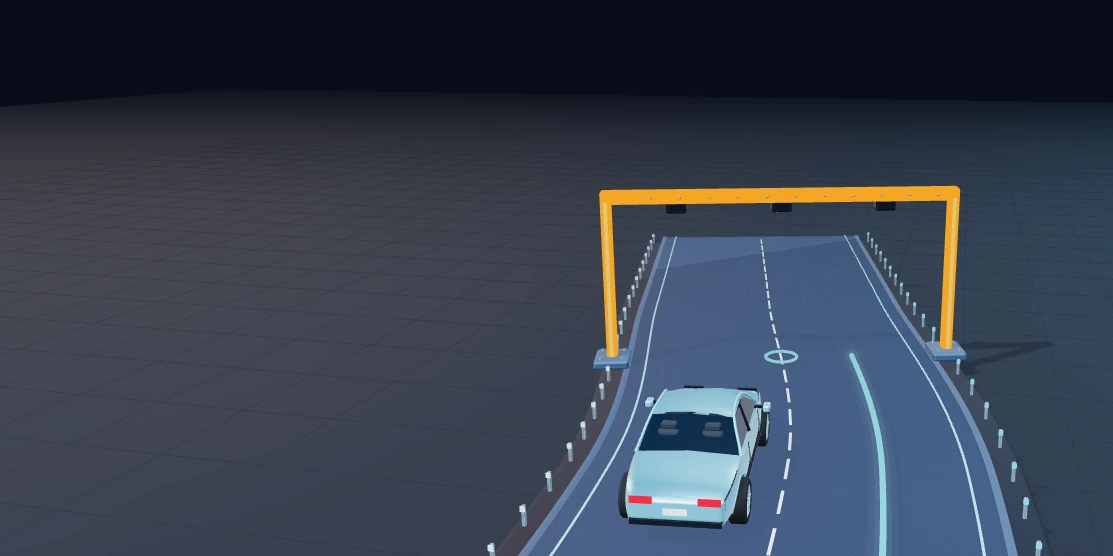
Inside an EDS corridor the app shows the limit, your current speed, your average speed and the remaining distance, and it tells you by voice what speed to keep.

Labels as they appear in the app, in Turkish; the values are fictional.
Average-speed corridor: a stretch of road where EDS checks your average speed over the distance.
Spoken guidance uses a Turkish voice.
Official EDS data
EDS points and corridors come from the public data of the General Directorate of Security. In September 2026 the catalogue covers 626 corridors in 65 of Türkiye's 81 provinces.
Road events
Roadworks and road closures published by the General Directorate of Highways are shown on the map, together with reports from other drivers.
Convoy
Drivers travelling in the same group can share their location with each other.
Digital garage
You can add your vehicle, record each fill-up and see real consumption and cost. The app warns you when consumption rises abnormally.

Labels as they appear in the app, in Turkish.
Labels as they appear in the app, in Turkish; the values are fictional.
You can add a car, an SUV, a commercial vehicle or minibus, a truck, a motorcycle or a taxi, with petrol, diesel, LPG, hybrid or electric fuel.
Reminders
The app reminds you of inspection, insurance, motor vehicle tax and service dates.
CarPlay
The map and the speed panel are available on the car's screen through CarPlay.
Platform
iPhone · iOS 15 and later · CarPlay
The app's interface is in Turkish.
Labels as they appear in the app, in Turkish; the values are fictional.
Account
Sign in with Apple and phone verification
The app uses your location while you drive, and in the background so that corridor warnings work with the screen off.
The photo library is used only to choose a profile photo.
Community traffic contribution: your location is matched on the device to a road segment, and what is sent is the segment ID, a coarse speed band, a stop-and-go band and the direction, sent with your signed-in account; exact GPS coordinates are not part of the data.
The contribution is on after sign-up, and you can turn it off at any time under Settings, Privacy.
You can delete your account in the app, under Settings, Privacy.
The privacy notice (KVKK) is available in the app, under Settings, Privacy, and at sign-up.
Scope
Kuzey Maps is not a radar detection or jamming tool. It shows official and community data for information.
Availability
App Store
Kuzey Maps is free to download on the App Store.
Price and availability are shown on the App Store page.
Where does the EDS data come from?
EDS points and corridors come from the public data of the General Directorate of Security. In September 2026 the catalogue covers 626 corridors in 65 of Türkiye's 81 provinces.
Is Kuzey Maps a radar detector?
No. Kuzey Maps is not a radar detection or jamming tool. It shows official and community data for information.
Does it work with CarPlay?
Yes. The map and the speed panel are shown on the car's screen through CarPlay.
How do I sign in?
The app uses Sign in with Apple and phone verification.
Which road events does it show?
Roadworks and road closures published by the General Directorate of Highways are shown on the map, together with reports from other drivers.
Which reminders does it send?
The app reminds you of inspection, insurance, motor vehicle tax and service dates.
What does Convoy do?
Drivers travelling in the same group can share their location with each other.
What does the digital garage keep?
You can add your vehicle, record each fill-up and see real consumption and cost. The app warns you when consumption rises abnormally.
Can I keep the map without a connection?
You can download the map along a route to keep it visible without a connection, and delete downloaded maps in Settings.
Which language is the app in?
The app's interface is in Turkish, and spoken guidance uses a Turkish voice.
Which vehicles can I add?
You can add a car, an SUV, a commercial vehicle or minibus, a truck, a motorcycle or a taxi, with petrol, diesel, LPG, hybrid or electric fuel.
Can I delete my account?
You can delete your account in the app, under Settings, Privacy.
What data does the app share?
Community traffic contribution: your location is matched on the device to a road segment, and what is sent is the segment ID, a coarse speed band, a stop-and-go band and the direction, sent with your signed-in account; exact GPS coordinates are not part of the data.
The contribution is on after sign-up, and you can turn it off at any time under Settings, Privacy.
How much does it cost?
Kuzey Maps is free to download on the App Store.
Price and availability are shown on the App Store page.
Questions about Kuzey Maps: contact us.