
Civesto processes citizen traffic reports into structured, auditable case files.
Civesto is built for the staff of police forces, road authorities and municipalities, and for the citizens who send them reports.
Available to authorities
Contact usFor public authorities
Civesto is a case-intake and evidence-management system for police forces, road authorities and municipalities. It receives recordings submitted by citizens, verifies and seals the evidence, and presents each report to an officer for a decision. The system does not assess whether an offence has occurred; that judgement remains with the authority.
Roles and teams
- Officer: reads cases and their media, exports them and changes a case's status.
- Management: sees statistics and the heat map, never case rows or media.
- IT: reads the audit log and manages webhooks and keys, with no access to case content.
- System administrator: manages the authority's whole installation.
- Citizen reporter: sends reports from the Civesto app.
Officer is the operational role and Management the governance role.
Every report follows the same four steps, from the citizen's phone to an export the authority can use in its own systems.

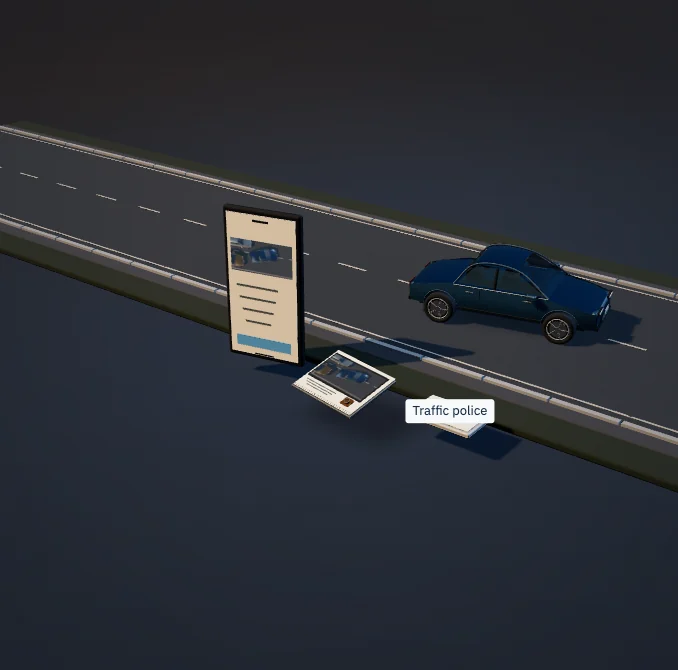
Reports arrive in a single inbox
Each submitted recording appears in the authority's inbox with its category, its location, the status of its evidence checks and, where the authority enables it, a partial plate reading, so reports can be filtered, sorted and assigned.

Evidence is verified and sealed
On upload the file receives a SHA-256 hash. The system checks metadata such as EXIF data, capture timestamp and device information, and records the result of each check with the file.

An officer records the decision
Each report is validated, forwarded, acted upon or closed by an officer of the authority. The legal basis and an officer's note are stored with the case, and every action is written to the audit log.
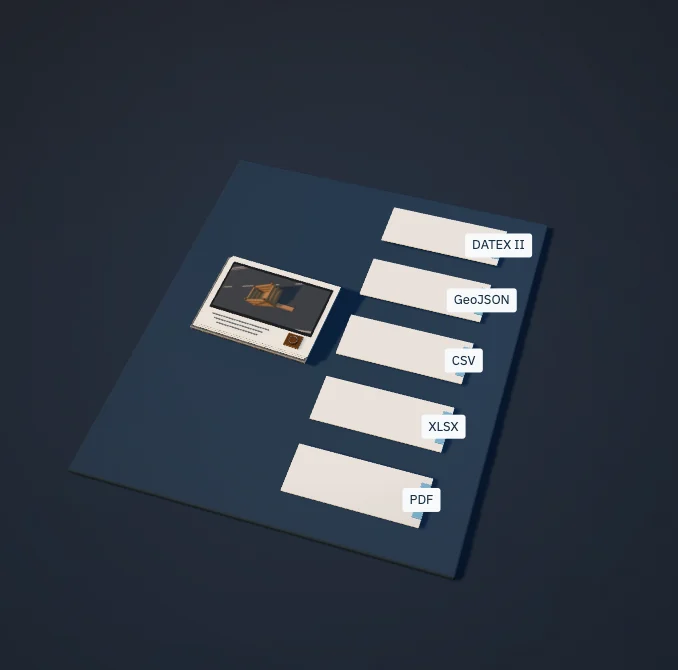
Data is exported in standard formats
Cases can be exported as DATEX II, GeoJSON, CSV, XLSX or PDF for use in the authority's existing systems.


The Civesto app
Citizens submit their reports with the Civesto app.
The reporter photographs or films what they saw, chooses the closest report type and sends the report. The app adds the location and the time of the recording. The report then appears in the authority's inbox, where an officer reviews it.

First, photograph what you saw
A photo or video is enough
Take with CameraChoose from GalleryRecord Video- Evidence
- Up to five photos or videos per report; a video can be up to 90 seconds long
- Report types
- 17 types in the police module; road operators use a separate list of 10 road hazards
- Without a connection
- The report is kept on the phone and sent when the connection returns
- Account
- The app can be opened without an account; submitting a report requires one
- Languages
- 53 interface languages
- Platform
- iPhone, iOS 15 or later
- Availability
- Provided with the authority's installation; the app is not listed on the App Store
Reports arrive in a single inbox
Each submitted recording appears in the authority's inbox with its category, its location, the status of its evidence checks and, where the authority enables it, a partial plate reading, so reports can be filtered, sorted and assigned.

Within Civesto, a report can be routed to several relevant roles at the same time, with a recorded reason.
- Road operator
- Traffic police
- Traffic control
A report whose category has no routing rule is held for manual assignment instead of being guessed.

Evidence is verified and sealed
On upload the file receives a SHA-256 hash. The system checks metadata such as EXIF data, capture timestamp and device information, and records the result of each check with the file.
Evidence sealing
Each file is hashed with SHA-256 at upload. The hash can be recomputed at any time to confirm the file has not been altered.
Each seal is signed and linked to the one before it, so changing or removing a record breaks every later link, which shows when the chain is checked.
A seal shows that a file and its record have not changed since sealing. It does not show that the content is true.
An officer records the decision
Each report is validated, forwarded, acted upon or closed by an officer of the authority. The legal basis and an officer's note are stored with the case, and every action is written to the audit log.
An officer of the authority decides. Civesto prepares the case file and records the decision; it does not assess the offence.
Scope of the system
Civesto prepares and manages case files. Decisions remain with the authority.
Opening a closed or flagged case requires the officer to state a reason; the view is recorded with that reason.
Audit log
- Every view, assignment and decision on a case is recorded with the user and the time; decisions keep their stated reason, and opening a closed or flagged case requires a reason.
- Requests to the authority API are recorded with the time, the key, the caller's address and the path, never with the content.
Data is exported in standard formats
Cases can be exported as DATEX II, GeoJSON, CSV, XLSX or PDF for use in the authority's existing systems.
- CSV: opens in Excel and LibreOffice.
- XLSX: a workbook with summary, detail and statistics, for management reporting.
- GeoJSON: for GIS tools and web maps.
- PDF: one page per report, for case files.
- DATEX II: a generic version 3.5 test profile, validated against pinned schemas, for acceptance testing with an agreed receiving system. National profiles and live publication are not enabled.
Interfaces
Civesto provides DATEX II and GeoJSON export, a documented REST API and webhooks.

Deployment options
Civesto can run on an authority's infrastructure or on our servers. For hosted deployments, the hosting country is stated in the contract.
- Deployment
- On the authority's infrastructure, or hosted by Touman Studio
- Data protection
- Data remains with the authority; a data processing agreement is provided
- Interface language
- English; additional languages on request
- Status
- Operational; installations for authorities by arrangement
How a deployment starts
Scope, duration and success criteria are agreed with each authority at the start, before anything is installed.
The citizen app is provided with the installation. It runs on iPhone with iOS 15 or later and is not listed on the App Store.
Pricing depends on the country, the authority and the scope of the installation. Please contact us.
To discuss your authority's requirements, contact us.
Contact usQuestions and answers
Who decides whether an offence has occurred?
An officer of the authority decides. Civesto prepares the case file and records the decision; it does not assess the offence.
Where is the data stored?
Civesto runs on the authority's own infrastructure or on servers operated by Touman Studio. For hosted installations the hosting country is stated in the contract, and a data processing agreement is provided.
How does a pilot work?
Pilot installations are arranged with each authority. The scope, the duration and the success criteria are agreed before the pilot starts.
How do citizens get the app?
The app is provided with the pilot installation. It runs on iPhone with iOS 15 or later and is not listed on the App Store.
Which export formats and interfaces are available?
Cases can be exported as DATEX II, GeoJSON, CSV, XLSX or PDF. Civesto also provides a documented REST API and webhooks.
Which report types can citizens send?
17 types in the police module; road operators use a separate list of 10 road hazards
What happens without a connection?
The report is kept on the phone and sent when the connection returns
How can we show that a file has not been altered?
Each file is hashed with SHA-256 at upload. The hash can be recomputed at any time to confirm the file has not been altered.
Each seal is signed and linked to the one before it, so changing or removing a record breaks every later link, which shows when the chain is checked.
Who can see what?
Access follows the role. An officer reads cases and media; management sees statistics and the heat map only; IT reads the audit log and manages webhooks and keys. Management and IT never see case content.
Does Civesto read licence plates?
Where the authority enables it, the inbox shows a partial plate reading. An officer reviews every report and decides; Civesto does not assess the offence.
Which languages are supported?
The app has 53 interface languages. The authority panel is in English, with additional languages on request.
How is Civesto priced?
Pricing depends on the country, the authority and the scope of the installation. Please contact us.
- SHA-256 hash: a fixed-length fingerprint of a file. If the file changes, the fingerprint changes.
- Evidence seal: the signed record of a file's hash, linked to the previous seal.
- Audit log: the record of who looked at or changed a case, and when.
- DATEX II: a European standard for exchanging road-traffic data.
- Webhook: a message Civesto sends to your system when something happens.
To discuss your authority's requirements, contact us.
Contact us